20/10/2026 14:34
Is That Basket Still Available? Telegram Saved Messages for Cambodian Homeware Shops

A supplier’s basket photograph can remain useful long after its stock information becomes outdated. For a Cambodian homeware shop preparing a Telegram promotion, that creates a practical problem: the attractive image is easy to retrieve, while the message explaining its size, lining or availability is harder to find. Telegram Saved Messages can help preserve that context. The important habit is to treat a saved item as a reference awaiting review, rather than a ready-made offer. This workflow explains how to collect supplier material, return to its source, check the actual product and prepare a public post before spending time or money on promotion.
1. Start with the question the photograph cannot answer
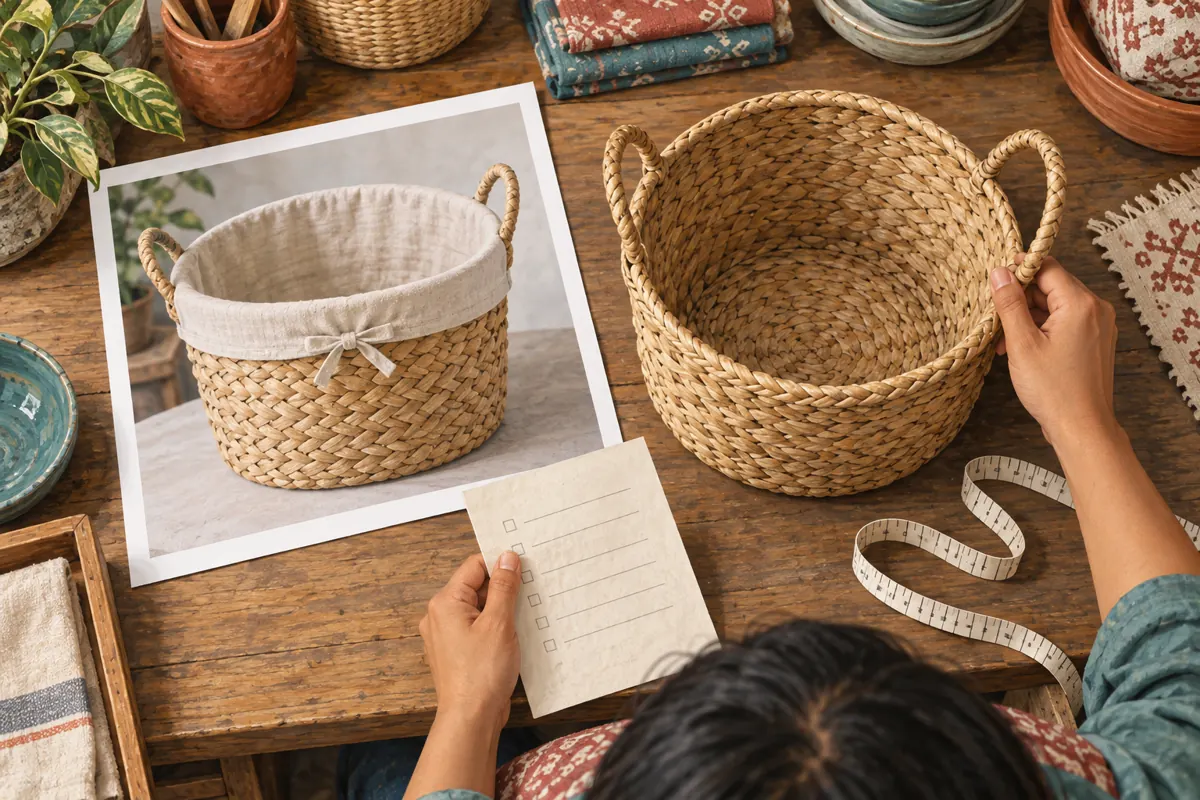
Imagine a hypothetical homeware shop in Phnom Penh planning a weekend post about woven storage baskets. The owner saved a supplier photograph showing a basket with a cream fabric liner. A later delivery contains a similar basket without the liner. If the owner promotes the saved photograph without checking, customers may reasonably expect the complete pictured item.
Before collecting promotional material, write the unresolved question: does the available basket include the liner? Other useful questions concern the lid, handle style, individual versus nested sets, or whether the photographed colour is actually available. Give each question a specific product reference. A vague note such as “check baskets” is difficult to act on when several suppliers sell similar designs.
This approach makes saving purposeful. You are preserving material needed to resolve an offer, rather than building an attractive image collection that someone may later mistake for confirmed stock.
2. Use Saved Messages as a reference workspace
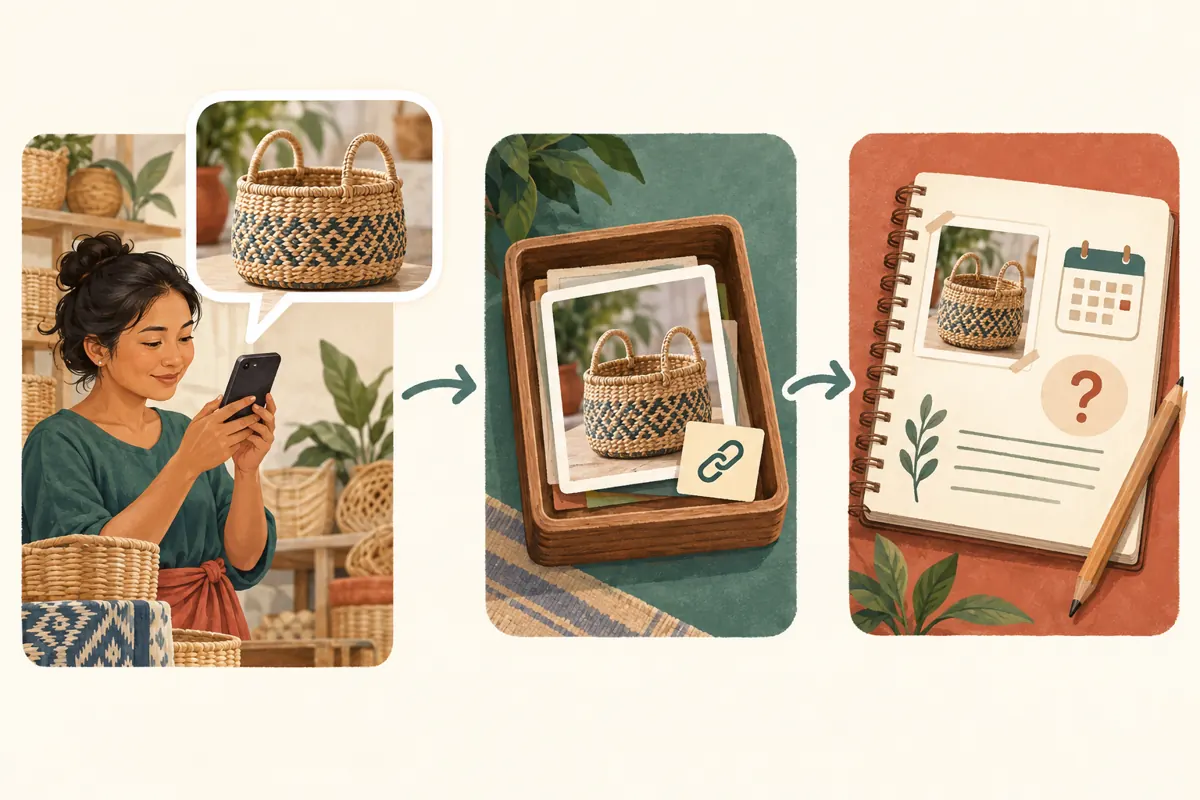
Telegram describes Saved Messages as a place for notes and forwarded messages, including links and media. Its official guidance explains that saved forwards have a control for returning to the original message. That connection is useful when a photograph needs surrounding context. Forward the relevant supplier message into Saved Messages, then check whether you can return to its source.
Telegram also documents viewing saved items as messages or grouped by their source chats. In Saved Messages, look for the title or menu controls offering View as Messages and View as Chats. Grouping by source can help distinguish suppliers using similar product photographs.
Keep the role of this workspace narrow: it supports your research. Saving a message does not establish current availability, permission to advertise an image, or agreement to a customer’s order. Those are separate decisions requiring their own evidence.
3. Save the explanation with the image
Read the messages immediately around a supplier photograph before deciding what to retain. A separate caption may explain that the picture shows a sample, that a liner is optional, or that only one size is being offered. Where forwarding is available and appropriate, save the relevant explanatory messages as well as the image. If forwarding is unavailable, ask for an authorised product summary instead of trying to bypass the restriction.
Add a short note of your own using a consistent product reference. For the hypothetical shop, it might read: “Round basket, loop handles, supplier reference RB-C. Saved for liner check. Supplier confirmation still needed.” Include the date you reviewed the information and identify which statements came from the supplier.
Avoid collecting unrelated customer conversations, delivery addresses or payment details. The purpose is to understand a product offer. Extra private material makes later sharing more hazardous and makes the useful evidence harder to recognise.
4. Organise by the next decision
Use a small vocabulary in your own notes: Awaiting details, Ready for draft, and Retired reference. These are suggested working labels, not automatic Telegram approval states. Define them clearly. Ready for draft should mean that someone has checked the product facts needed for the proposed post; it should not mean that a photograph merely looks suitable.
Telegram’s official Saved Messages guide describes emoji-based tags, optional tag names and tag filtering for Premium users. If those controls are available on your account, they can support this organisation. Otherwise, consistently written notes and product references are sufficient for the workflow.
Keep unresolved questions visible even after gathering more material. A new photograph should not silently erase an outstanding question about what is included. When an answer arrives, record the answer and its source in the product note so the next review begins with the current position.
5. Return to the source before approving a promotion
When a saved basket becomes a candidate for promotion, revisit the supplier conversation. Read the original context and subsequent relevant messages, then ask a focused confirmation question. For example: “For reference RB-C, does the current supply include the cream liner shown in this photograph?” Asking whether “this is still available” can leave the exact variant unresolved.
Check your own stock separately. Supplier availability and stock already held by your shop answer different questions. If the campaign promises collection from your premises, inspect the goods you can actually allocate. If the item requires ordering, describe that arrangement accurately and confirm the information needed before making a delivery promise.
Record when the check occurred and who supplied the answer. Set a further review when something material changes, such as a new delivery or a supplier substitution. Choose the review point around the offer’s uncertainty, rather than assuming every saved reference stays reliable for a fixed period.
6. Resolve mismatches with the actual basket
Place the available basket beside the reference photograph. Compare the rim, handles, liner, lid and any accessories shown. Measure the dimensions relevant to the customer’s intended use, making clear whether a measurement includes protruding handles. Check whether a picture of nested baskets represents a set or simply illustrates several separately sold sizes.
In the hypothetical example, the shop confirms that its current basket is sold without a liner. The useful next action is to photograph that basket and state what is included. Cropping the old picture until the liner becomes less noticeable would leave the underlying misunderstanding unresolved.
If the mismatch cannot be settled, hold the availability claim. You can prepare the photography setup or draft a general basket-care topic while waiting, but do not present uncertain goods as ready for collection. Promotional preparation should make the offer easier to understand, not turn an unanswered supplier question into a customer promise.
7. Build a public post from verified facts
Prepare a fresh public draft rather than forwarding your entire research trail. Include the product reference, the available variant, what comes with it and the next step for enquiries. Use the language your customers understand. An English internal product code can coexist with a Khmer customer explanation, provided staff can connect both to the same item.
For the hypothetical shop, an appropriate message could explain that the pictured basket is sold individually without a fabric liner, then ask customers to send its reference when checking availability. Add confirmed measurements and collection details where they help someone decide. Do not insert guessed prices or availability into a draft just to make it look complete.
Obtain permission for supplier imagery where needed, or use your own photograph of the actual product. Before releasing the post, compare its image and wording with your checked note. A polished caption cannot compensate for showing a different product.
8. Keep SMM panel decisions outside the supplier notebook
A saved supplier message is an internal reference, not the public destination for a promotion service. If you are reviewing an SMM panel listing on bong-views.com, begin with the approved public content and a clear purpose. Do not paste a private supplier conversation or your Saved Messages reference into a service field.
The supplied catalogue includes the exact public name “Telegram Views - [China]”. Its description is empty. The title identifies a views listing with a geographic label, but the brief does not establish delivery mechanics, audience authenticity or suitability for Cambodian customers. Treat those unknowns as reasons to seek clarification, not as details you can fill in yourself.
Purchased engagement is not evidence of genuine interest, sales, ad delivery or Cambodian users. It cannot verify basket availability or correct an ambiguous offer. If a proposed service conflicts with platform rules or your need for genuine local enquiries, leave it out of the campaign. Keep any service expenditure and delivery records separate from stock confirmations and customer orders.
9. Make the approval usable by another staff member
Saved Messages is a personal workspace, so organise a deliberate handoff when someone else writes or publishes the promotion. Send an approved product summary through the team’s usual channel. Include the selected image, exact product reference, confirmed inclusions, unresolved limitations and the person responsible for answering stock questions.
Do not make the colleague reconstruct the offer from a pile of forwarded material. Share only the source context they need, and keep supplier terms or unrelated private information out of public-facing assets. A concise handoff is especially useful when one person checks deliveries and another handles messages while the shop is busy.
After publication, add the public post reference to the working note. This creates a practical connection between the checked product and its promotion. When the stock situation changes, staff can identify which public offer needs review without guessing from similar basket photographs.
10. Retire outdated references without losing their meaning
A common mistake is leaving an old Ready for draft note unchanged after a replacement shipment arrives. Another is saving the same photograph repeatedly with different captions, then selecting whichever copy appears first. Give each active product reference one clear current summary and mark older conclusions as superseded.
Retain an older reference when it helps explain a past decision, but label why it is no longer suitable for promotion. For example: “Earlier lined version; current stock has no liner.” If the distinction is uncertain, move it back to Awaiting details rather than preserving an approval that no longer has support.
Review success through practical questions: could staff retrieve the source, did the public image match the goods, and could an enquirer identify the correct variant? Record repeated customer confusion as a reason to improve the next post. A growing saved collection or an engagement counter does not answer those operational questions.

Frequently asked questions
Do I need Telegram Premium for this workflow?
No. The core workflow uses saved messages and your own written product notes. Telegram identifies the emoji-based Saved Messages tagging feature as a Premium feature. Tags can make organisation more convenient, but the essential work is preserving context, checking current facts and recording the decision.
What if the original supplier message can no longer be opened?
Treat the saved material as an incomplete reference. Contact the supplier with the product code and relevant image, explain what needs confirmation, and obtain a fresh answer. If availability or included items remain uncertain, do not reuse the old material as evidence for a current offer.
Can a supplier photograph serve as proof that the shop has stock?
No. It may illustrate a product the supplier discussed, but it does not establish what your shop currently holds. Check your own goods or clearly describe an ordering arrangement. Also confirm whether you may use the photograph publicly and whether it matches the offered variant.
Should every saved supplier message become promotional content?
No. Some references are useful only for comparison, purchasing decisions or unresolved questions. Promote an item when its facts are sufficiently clear for the claim you want to make. Leaving a saved reference unused is preferable to advertising a product that staff cannot accurately explain or supply.
How should we evaluate a promotion if panel engagement was purchased?
Record the purchase separately and avoid treating the resulting engagement as proof of demand. Examine actual enquiries for product references, availability questions and confirmed orders. Keep those observations distinct from service delivery records, and acknowledge that you may not be able to attribute an enquiry to a particular promotional activity.
Explore the current service catalogue, create an account, or ask a specific question through support tickets.
- Telegram: Saved Messages 2.0, One-Time Voice Messages and 8 More Features
- Telegram: Albums, Saved Messages and Better Search
Prepared with AI assistance. Illustrations explain the workflow and do not represent customer results.